Photo to Graphite Pencil Sketch — Automatic Python CLI (OpenCV)
Graphite CLI is a small Python command-line tool that converts a photograph into a black-and-white graphite pencil sketch. It uses OpenCV, NumPy, and Pillow, chooses its rendering settings automatically from each photo, and needs no GUI, network connection, AI model weights, or manual tuning. The output keeps the original pixel dimensions, and the result is deterministic for the same input and dependency versions.
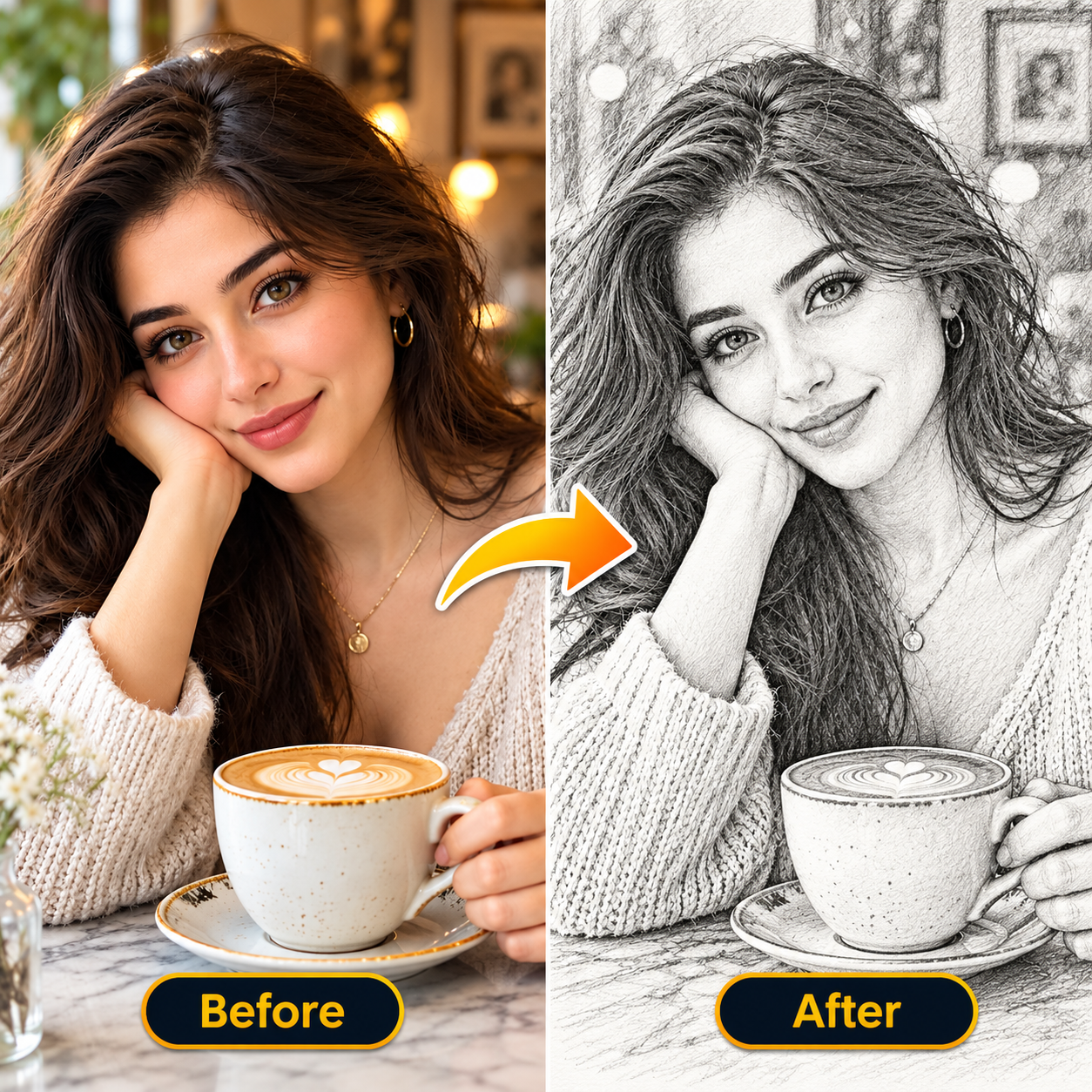
Before-and-after example image included in the project folder.
End-user usage
From the Console_Code folder:
python portrait_graphite_cli.py photo.jpg sketch.png
That’s the complete command. The tool reads the photo, chooses rendering settings automatically, converts it to a black-and-white graphite-style image, preserves the input pixel dimensions, validates the saved bytes, and writes sketch.png. If you run the command again, sketch.png is replaced. The input photo is never overwritten. The tool will refuse when the input and output reference the same file.
On success it prints the saved file and its size, for example Saved 'sketch.png' (1920 x 1080). On failure it prints Error: <reason> and exits with status code 1.
Developer installation (one time)
Python 3.10+ and the following dependencies are required:
python -m pip install -r requirements_portrait_graphite.txt
The requirements file (in Console_Code/) pins numpy>=1.26,<3, opencv-python>=4.8,<5, and Pillow>=10,<13.
Install the dependencies as part of deployment so the end user only runs the two-argument command. An executable distribution would need to be built separately for each target operating system if users must not install Python or packages.
How it works
- Load — the photo is opened with Pillow, rotated according to its EXIF orientation, composited onto white (for transparent images), and converted to 8-bit grayscale. Images larger than 20 million pixels or smaller than 16 pixels on a side are rejected.
- Choose parameters — percentiles of a downscaled preview measure exposure and contrast, then tone, gamma, line strength, and texture strength are adapted so dark photos are not muddy and flat photos get stronger strokes.
- Render — an edge-preserving bilateral filter smooths the image, a tone curve keeps meaningful midtones, multi-scale difference-of-Gaussian detail draws dark lines (hair, eyebrows, lips, clothing), local variance suppresses speckle on smooth skin, and a subtle diagonal pencil hatch is added to darker textured areas.
- Validate — the result is rejected if its dimensions changed, it lost almost all contrast, or it is overwhelmingly black.
- Save safely — the image is encoded as PNG (or high-quality JPEG), decoded again to verify it, and written atomically through a temporary file, so a failed run never leaves a half-written output.
Input and output formats
Supports common Pillow-readable image files as input and PNG/JPEG as output (.png, .jpg, .jpeg). For best lossless output, use .png.
Limitations
This is a deterministic OpenCV renderer, not a neural image-to-image model or a human artist. It cannot guarantee a specific reference style, 100% identity preservation in perceptual terms, or perfect results on arbitrary photos. Automatic validation detects corrupted output, wrong dimensions, and obvious failures, not subjective artistic quality. For a strict artistic acceptance target, use a validated trained model or a human-in-the-loop quality-review process.
Automated tests
The test module test_portrait_graphite_cli.py is not included in this repository. If you add it next to the script, run it with:
python -m unittest -v test_portrait_graphite_cli.py
Project structure
Graphite_CLI/
└── Console_Code/
    ├── portrait_graphite_cli.py            # Command-line tool
    ├── requirements_portrait_graphite.txt  # Pinned dependencies
    └── Before and After.png                # Example result
Related projects
- Image2Cartoon — cartoon-style image effects with OpenCV
- Image to ASCII — turn an image into ASCII art
- Back to all Python projects
Documentation links
Read all Python Projects and Code Examples guides online · Project overview · All developer projects