Tern
Tern is a local-first Markdown editor for Windows with a source editor, native reading preview, workspace search and PDF, HTML and plain-text export.


Write notes, maintain project documentation and organize folders of ordinary Markdown files. Local editing needs no account, subscription or activation key. Tern is written in C# with .NET 10 and Avalonia 12; optional URL import, remote images and AI/MCP connections have separate network and privacy boundaries.
Features
- Source, Split and Reading modes, document tabs, a reference pane, themes and focus mode.
- Native preview without a browser engine: tables, task lists, footnotes, code, images, front matter, bounded math and supported Mermaid diagrams.
- Library folders and workspaces, outline, backlinks, broken-link repair, statistics, Quick Open and SQLite full-text workspace search.
- Encoding and line-ending preservation, atomic saves, external-change comparison and merge, local saved-text history and recovery checkpoints.
- HTML, PDF and text export, Windows text printing, image insertion and portable local attachment copies on Save As.
- Fifteen beginner lessons and optional, explicitly reviewed AI writing and MCP tool requests.
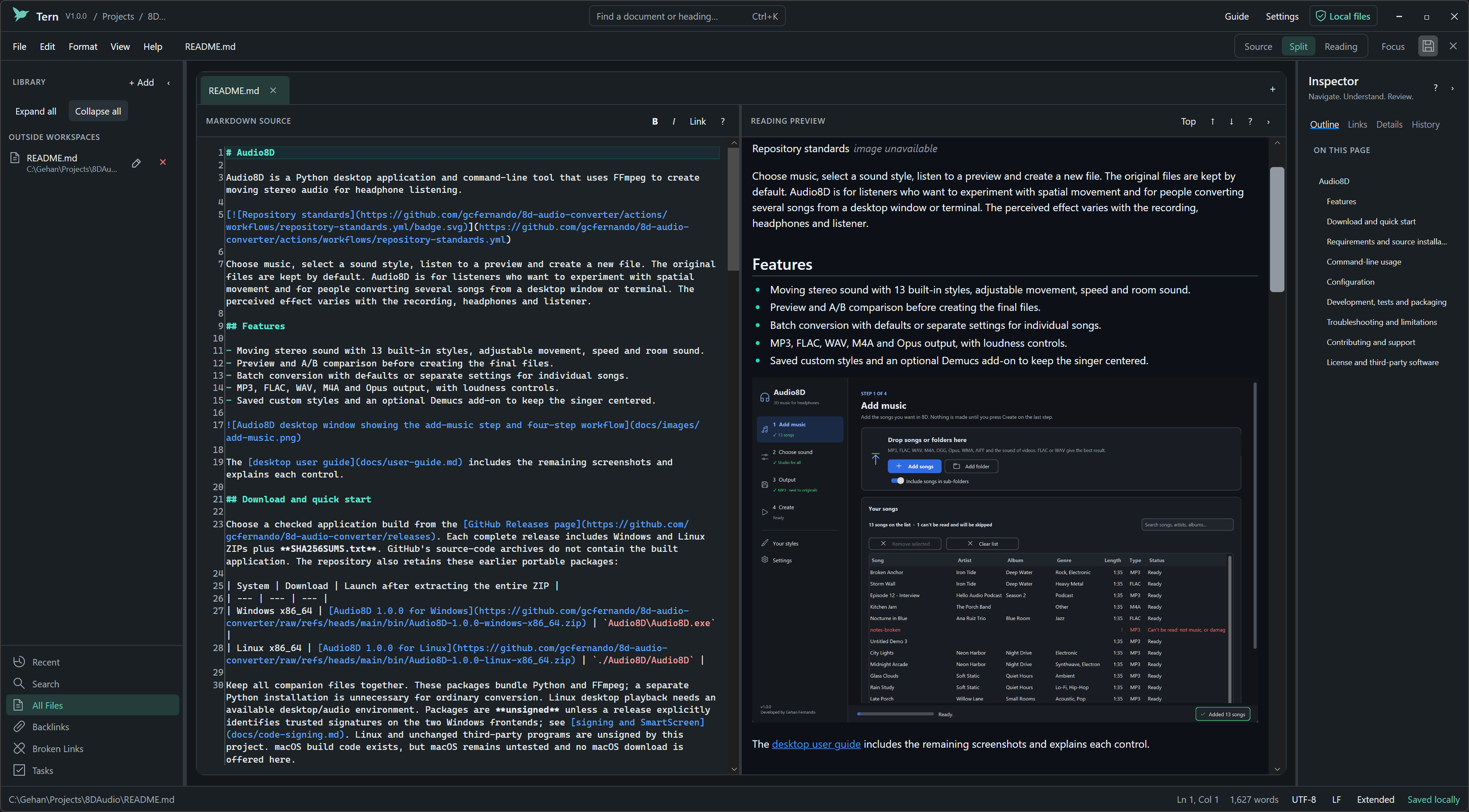
The screenshot shows an existing note in Split view. See the user guide for interface details and supported rendering limits.
Download and run
Open GitHub Releases and select a complete release containing Tern-win-x64.zip and SHA256SUMS.txt. GitHub’s source-code ZIP and tarball are source archives, not the packaged application. If those assets are absent, use the source build instructions or a complete earlier release.
- Download the application ZIP and checksum file from the same release.
-
Compare its SHA-256 with the matching manifest entry:
Get-FileHash .\Tern-win-x64.zip -Algorithm SHA256 - Extract the entire ZIP to a writable folder and run
Tern.exe. Keep all companion files together.
The Windows x64 release package is self-contained and bundles its .NET runtime. A development executable under bin is a different build and may need an installed matching runtime. The current packaging route is unsigned, so Windows may show Unknown publisher or a SmartScreen warning. A checksum does not establish a trusted publisher. Read the release guide for updates, removal and acceptance limits.
Use Tern
Press Ctrl+N, write a heading and a few sentences, then press Ctrl+S to choose a Markdown filename. Use Ctrl+2 for Split view or Ctrl+3 to read the preview. The beginner guide and practice note provide a safe starting point.
| Task | Start with |
|---|---|
| Open notes or browse a folder | Ctrl+O, Ctrl+Shift+O or + Add in the Library |
| Find a note or command | Quick Open (Ctrl+K) or Command Palette (Ctrl+Shift+P) |
| Search text | Find (Ctrl+F), Replace (Ctrl+H) or workspace search (Ctrl+Shift+F) |
| Add a link or picture | Insert Link (Ctrl+Shift+K) or the Format menu |
| Learn or configure a feature | F1 opens the guide; Ctrl+, opens Settings |
| Export or print | File export commands, or Print (Ctrl+P) for plain-text printing |
Closing a tab, folder or workspace asks about unsaved changes and does not delete its files. Separate file-management actions can change files on disk. Save As can carry attachments inside the original note’s folder; check the copy rules before moving a collection.
The editor eagerly loads files up to 64 MiB; this is a memory guard, not a responsiveness guarantee. Preview and export have smaller content/resource budgets and can report truncation. 1 GB editing is unsupported. PDF font coverage, supported Mermaid syntax and native printing differ from browser output. See known limits.
Configuration and local data
Settings controls appearance, fonts, wrapping, layout, shortcuts, session restoration and workspace exclusions. Configuration uses %APPDATA%\Tern; local state, recovery and search indexes use %LOCALAPPDATA%\Tern. TERN_DATA_ROOT selects an isolated root with separate settings, state, recovery and index directories. Back up important notes and state before clearing or replacing them.
Saved AI connection keys use Windows Credential Manager; unsaved keys remain in memory. Optional requests can transmit a complete active note, a question or reviewed tool arguments. Opening a note with remote images can contact image hosts. Read privacy, credentials and network access before opening confidential or untrusted content.
Development and testing
Use Windows and the exact SDK selected by global.json, currently 10.0.402. Run from the repository root:
dotnet restore Tern.slnx --locked-mode
dotnet build Tern.slnx -c Release --no-restore -m:1
dotnet test Tern.slnx -c Release --no-build --no-restore -m:1
dotnet run --project src/Tern.Desktop -c Release --no-build
Dependencies and lockfiles are pinned, and warnings are errors. Eight test projects cover application, filesystem, rendering, workspace, headless UI and security behavior; benchmarks are separate. The unfiltered test command includes external-corpus and interactive Windows checks that need additional inputs. The reproducible CI gate excludes eight such cases explicitly; it does not establish full native acceptance. See development and the validation record.
Automated releases
The release workflow is configured to build, run its documented automated gate and package Windows x64, then publish a separate main-branch preview after required checks succeed. Preview tags identify the run and source commit; application version remains 1.0.2. A failed check must not be described as a verified release.
For a local candidate, use ./tools/BuildRelease.ps1; it publishes, invokes the packaging helper and smokes the extracted application. The legacy ./scripts/publish.ps1 remains available for a local self-contained publish. These have different output directories; the release guide explains each and the unsigned/manual-acceptance limitations.
Troubleshooting
- The app does not start: extract the whole application ZIP. A lone executable copied from a development build is not the release package.
- Windows warns about the publisher: check signing status and checksum. An unsigned package does not establish a trusted Windows publisher; do not disable operating-system protections.
- An image or diagram is missing: check the path, network, supported syntax and preview warnings. External local images need the appropriate per-note permission.
- An export is incomplete: review readiness and truncation warnings and export limits.
- A note changed on disk or recovery appears: preserve both versions and use comparison and recovery before overwriting anything.
- An AI endpoint fails: check protocol, endpoint and model using synthetic text. Provider compatibility and entitlement are separate from Tern’s protocol support.
Contributing and support
Read CONTRIBUTING.md and repository standards. Report reproducible problems through GitHub issues; follow SECURITY.md for sensitive reports. Use the documentation index or published documentation for further guides.
License
Developed by Gehan Fernando and released under the MIT License. Dependencies retain their own terms; see third-party notices.
The previous README’s detailed workflow and architecture reference is preserved and clarified in the user guide and development guide.